PearlCast › Episode 22
Episode 22Sep 5, 202514 min
Chris Key, Hostcomm
About this episode
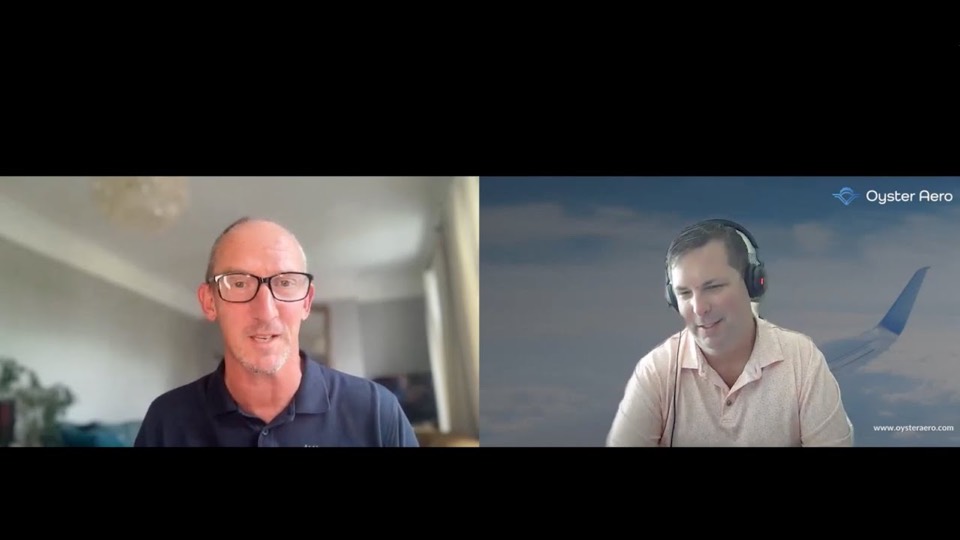
We came across Hostcomm’s mobile inspection software, already used in a variety of industries, and Chris is here to explain how it works and give us a look. We’re especially curious about this technology's application for virtual inspections in aviation. Let us know what do you think?
Transcript
Read the full transcript
From the episode's captions, as published. Words that can't be made out are marked [unclear].
Welcome to the Oyster Aero PearlCast, where we sit down with founders and leaders shaping the aviation industry. From freshly formed startups to the biggest names in the sky, this episode is brought to you by our friends at Turbo Resources in Phoenix, Arizona. Now operating in 450,000 square ft of state-of-the-art warehouse space, Turbo continues to keep the aviation industry flying and is actively buying material. Now, we hope you enjoy this episode. Hello everyone, Jeff Jerge with the Oyster Aero PearlCast. I am here with Chris Key. You've not heard of him, but we're going to by the end of this podcast. How's it going, Chris? Very well, thanks. I'm uh Hi everyone. I'm excited to be here with Jeff today. Yeah. So, um And you're in the UK, right? Correct. Yeah. We're in the uh in the southwest near Cornwall uh in a place called Exat, which is very nice. Very hot at the moment, but uh yeah, very nice.
I'm sure. Yeah. And you you're not you don't have the AC that we pump in Memphis, I wouldn't think. So, uh we we've only got heaters here, unfortunately. Yeah. We're not used to hot weather, so we're suffering a bit, but never mind. Uh all right. So, um, I actually was excited to get this out when I saw your product and, um, and this is more of a discovery. So, if you're watching this, we really want to hear from you to see, um, if you think this product is interesting in our world. So, as I said, Chris is with Hostcomm and um, you do a bunch of different services, but one that we were talking about is remote digital inspection, and there's a better word for that. So I'll let you take it because you're the expert. Why don't you tell us a little bit about what the product is and maybe kind of what the inspiration for it is. Yeah. Okay. Yeah. So yeah, mainly uh looking to talk about remote visual assistance. Um Hostcomm has been uh been around for almost 20 years. Our background is cloud contact centers. And a few years ago, one of our customers um one of the largest installers of heating systems in the UK uh came to us and um they had a problem. there was uh we had obviously COVID 19 and they were looking to uh you know access um their customers without necessarily going to site. Um so uh we did a bit of research and uh came up with remote visual assistance which was fairly new five years ago and decided to create our own application uh which actually they've been using since then so about four or five years and uh so remote visual assistance allows an expert uh technician or engineer uh to help somebody remotely using video and AR type um guidance tools uh without actually going to site. So they can uh resolve all sorts of complicated problems and and assist people remotely without traveling anywhere which is which is the main benefit really.
Yeah. When I I remember when I first heard of it um I thought well why not just take pictures like we do in aviation. So when we have packages or if we have a high value component, if it's valuable enough, people get on a plane and they go and they, you know, go in the warehouse and they physically look and and and I'm not sure that we'll well, we'll see. But then there's also the ones that are kind of on the fence. You know, a couple million dollar package. What'll happen is people will say, "Well, take the crate out and unbox everything and take some pictures of it and if you see the data plate, take a picture of that and then send it to me." Right? And I guess the next iteration could be a FaceTime, you know, some sort of um call, FaceTime back and forth with each other. But you're in warehouses with concrete and and that kind of thing. So um when we saw when I saw this product, I'm I really am curious. This is uh not one of our usual podcast. We want to hear from people. So Chris, why don't you just show us around a little bit and see um if this is useful to the aerospace community?
Absolutely. You see my screen now, Jeff? Yep. Wonderful. It, as as you say, Jeff, the best thing to do with remote visual assistance is just show it because it's uh it's a pleasure to demo actually. It's very visual. Um so, um as you say, we're looking to help someone out uh you know, perhaps in a warehouse or something. They've got something fairly complex that uh that is going to be tricky to um uh discuss without confusion. So, remote visual assistance is perfect for that. Um, so you would put in your cell phone number. Mobile number goes up here. Um, put your email in and then give it a uh a reference so it can be searched on later. Um, and then hit the button. So that uh in this case sends out an SMS text to the remote end which has just come through. So in this case you're setting you're sending an invite. You're sending an invite to a warehouse shipper or um you know basically somebody that would be on the other end, right?
That's correct. Yeah. And um yeah, so uh apologies we haven't got a jet turbine here, Jeff, or anything relevant to you, but uh this is I think this is a battery charger, so it's semi-technical. Um but yeah, you're correct. the the SMS comes through uh we can email it as well and then when the the SMS arrives it's got a hyperlink on it. So all the remote person has to do is just click the hyperlink. They don't need to install an app. Uh they don't need an app at all. They just click the hyperlink in the SMS message and it'll just and then I think there's one more button which says um you know joins the call and then here we are. They're they're ready to go. So it's very easy for the remote person to do it. So you're holding your phone in your left hand and acting as the remote technician at this point and you're the expert kind of on the other end of the phone. So you're in the UK and that phone can be in Seattle right now. Exactly. Yeah. Anywhere in the world actually. Yeah. In fact um just very briefly one of the advantages of this technology is wherever you are in the world it it directly connects browser to browser. So even if um uh you know even if HQ is um you know in in Australia or something like that but the two people that want to use it are in the US it connects directly. So it doesn't go via Australia and that's um maybe a a topic for another discussion but it uses WebRTC. So the the code's already in the browsers and then one of the benefits before we start is if you're in a low bandwidth area like a warehouse with concrete this is this this has figured out how to connect through that as well.
Yeah. Exactly. It it automatically uh adapts itself to low bandwidth situations and uh yeah without uh and also low light as well. It's um you know it's it's good on low light. You can you can turn the torch on from the remote end and control some of the features on the on the smartphone. Okay, take it away. Okay, so uh well I think if we just start with pointer that's uh that's a a really that's a really good one. So hopefully you can see this kind of yellowy green circle moving around. Um, and this disappears on the remote end. So, if I want to say that button up there, that's the one. You need to press and hold that button there. Okay. So, we've got four buttons here. It could be a little bit I know it's red, but um, if we pick one of the other ones, you know, you would have to say, oh, it's it's the one at the top on the left. And, you know, the option there, the possibility for confusion comes in, but I can just say that one there. Click that one. And you can you can see, you know, there's no doubt it's that one I want to press. And at the remote end um the other person at the remote can also do the pointer. So you know do you mean that one there at the top? Yes, I do. So we got two-way live pointer. Um we can also uh image capture and um we can then annotate.
So it's yeah it's that's the button there I want you to press for me. And um there it is. That one there. We can also So you're typing as the operator and now the um the person is seeing this on their screen as well. Exactly. That's right. Yeah. So um and uh I can then annotate back uh I think it yeah it comes through it comes through blue actually. So just to designate that um that's actually coming from the remote end there. So you can have a two-way annotation session, a bit like a whiteboard, but you've got the subject matter there as well. So it's it's like a transparently overlaid onto the um onto the the subject that you want to talk about. Um and um so we can save that and uh it it's then uh it's then displayed um in the image gallery.
Uh, so let's come out of there. And we're also recording this, right? So like I everything that we're doing in the counter at the top, I can go back and rewatch this, right? Yes, absolutely. Yeah, it records. Yeah, it also um there's there's also a voiceover IP session as well between the two browsers. So you don't actually need a separate telephone call as well. You can actually do it browser to browser. Yep. Um so everything you need. is uh you know if you decided you want to chat as well uh you can have a chat session which might be some you know might be useful if uh the person can't hear you maybe it's a bit noisy there's a lot of background noise or perhaps English isn't their first language or there's a communication issue of some sort that you can revert to chat uh another good feature actually is um we can uh connect to Google maps and uh so we can get the geoloc from the smartphone phone, they have to give permission. And um we can do all sorts of things. We can we can look at the property, for example. So if we wanted to zoom in at the property, that's the one that's where the phone's located. We can say, "Oh, look. Yeah, there's probably enough parking for me to get in there, park the park the lorry, the truck. That's good.
We've got plenty of access." And if we're installing a heating system, we've got an idea of the of the property. Uh we can also uh we can also measure distances as well. So let's say we want to go from uh the front door to the road to access utilities. We've got nearly 15 mters there. And we can save these uh save these images as well. Uh other things like um checklist. So if the um if the if the expert's working to some sort of a a routine uh we integrate with type form uh which is a very very good application lots of people will have heard of that and we can work through uh you know a routine here and and just so that the person doesn't doesn't forget things uh they can we can get them to work through this and then the Oh wow. Okay. Yeah. So, we've got Yeah.
So, everything's everything's captured as you can see here. Yeah. OCR. Uh, let's just let's just do that quickly. OCR, sorry. Yeah. OP OCR stands for optical character recognition for anyone that hasn't heard of that. So, it basically grabs the text. You can then edit that. So, let's just say we just want the model number. In this case, we just want to know what it is. It's a Clark battery charger. And, uh, yeah, we can save that. So quite a few things going on there but uh so we saw annotation pointer Google maps integration we can take notes and uh and OCR and then when the call ends you've had a record of the recording you have a record of the chat you have a record of the mapping you have a record of the OCR capture which would be data plates exactly it puts it puts it all into a folder um and we we can actually use AI to search things within the within the um the images and text. So if you're looking for let's let's say for example in six months you want to access information about a Clark battery charger um you know there's a particular another problem relating to that product you could just search for that and it will bring up this session which you can then look through. So that's one of the the advantages of remote visual assistance is um is it puts all of your media files into a folder on a central console.
Interesting Chris. Well we try to keep these to 15 minutes. I think we could probably talk for two hours about this but you know I am curious and again if you're watching this we are I'm I'm so curious if they're aerospace application is relevant. I think it would be um you know especially for those packages that are on the fence you know a certain dollar amount you're getting on the plane and going and of course you want to see your customers and who you're buying like we're relationship driven as well. But if you already know somebody and you want to get this kind of documentation I can see this coming in kind of handy. So we'll see what our aerospace people have to say about it. But Chris, thank you so much for coming on today. looking forward to uh potentially working a little bit more. Thanks. Thanks. Thanks a lot, Jeff. Really appreciate your time. Thank you. Good to be here. All right. Take care.